Product updates: AI duplicate detection in Q&A and a new project dashboard

Duplicate detection, sharper search, and more in Q&A
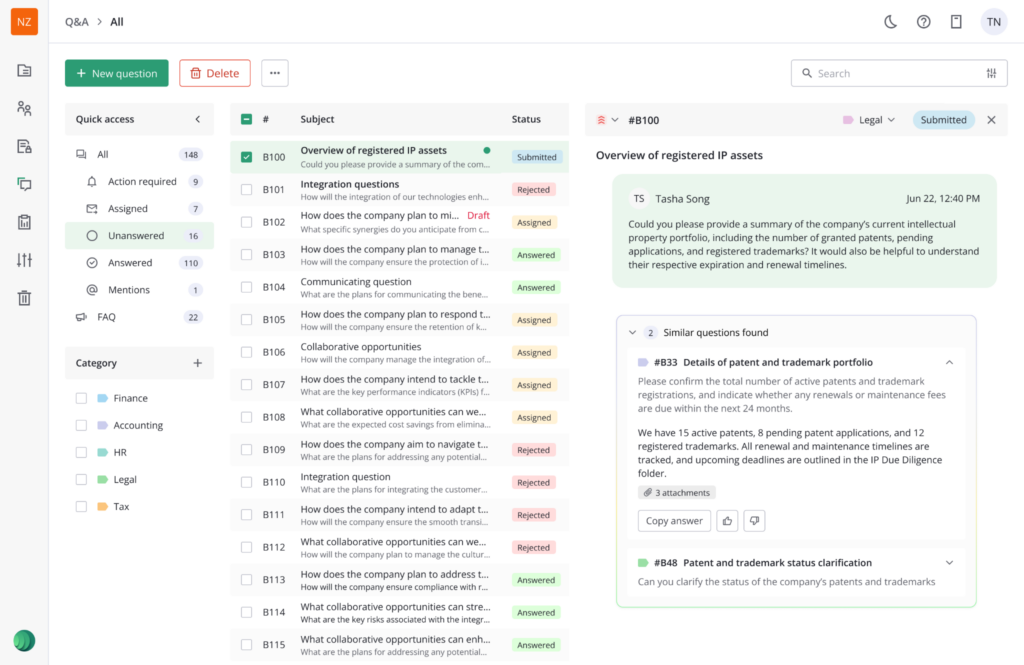
AI detection of similar and duplicate questions has arrived. As soon as a user opens a question, the system automatically checks it against existing threads and, if matches are found, surfaces a similar questions panel (complete with any existing answer) ready to reuse with a single click. Teams now spend less time answering repeated questions, and more time focusing on what’s genuinely new.
And when it comes to that genuinely new work, the module has been sharpened around it too. Users can now export Q&A data in more formats, search within Q&A more precisely, mention colleagues in notes, and edit question subjects after submission.
Key project metrics, all in one dashboard
The new dashboard gives project administrators a much clearer, at-a-glance view of key metrics in one place, helping them quickly understand what’s happening across their project. With the dashboard administrators can:
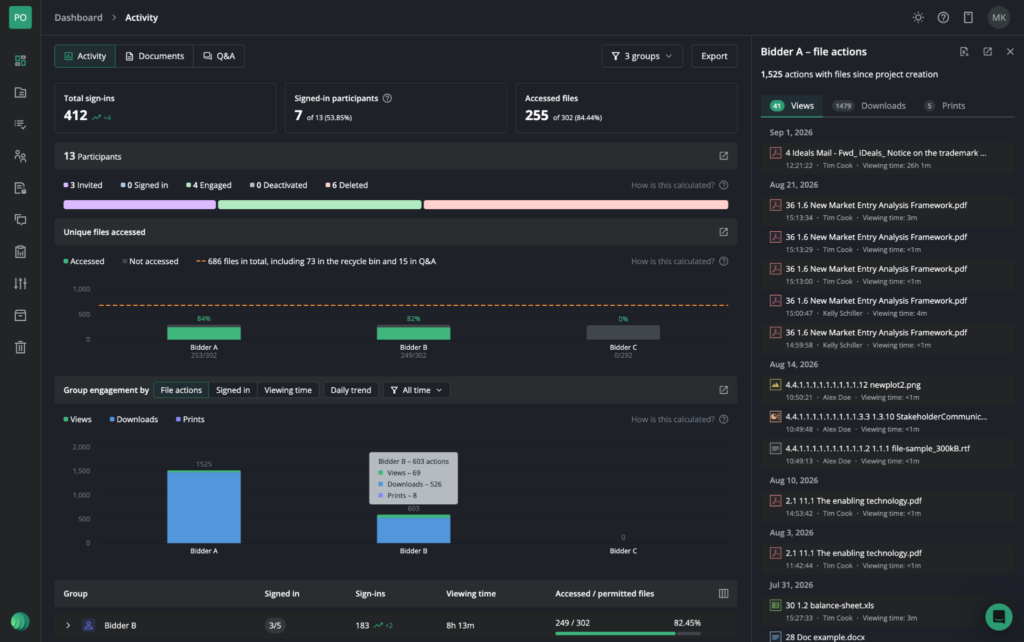
- See total number of participants, activity status, sign-ins, and accessed files instantly
- Use the unique files accessed chart to understand how each group engaged with content, with side panels showing specific accessed, not accessed, and restricted files
- Track views, downloads, prints, sign-ins, and viewing time as totals or trends for any selected date period, with detailed drill-downs available in one click
- Quickly spot unpublished or duplicate files, empty folders, the largest or most popular folders and files; any many other documents related metrics – across the entire project or within a specific folder
- Export activity insights for selected groups directly to PDF or PPTX, customized with selected logo
Altogether, the new dashboard makes it much easier for administrators to understand users’ engagement, monitor document activity, and get the insights they need without jumping between multiple reports.