


Product updates: Resizable columns, scoped index exports, and mobile insights

Read long file names without truncation
In the Documents table and on the search results page, you can now resize any column by dragging its border left or right. Double-click a border to return that column to its default width. Your layout is saved in your browser, so the table looks the same the next time you open it.
The checkbox, index, and name columns stay pinned as you scroll sideways, and together they never take up more than 80% of the table, so the rest of your columns stay in view.
Column resizing also works in other tables across the project, so you can adjust the layout wherever long names or details get cut off.
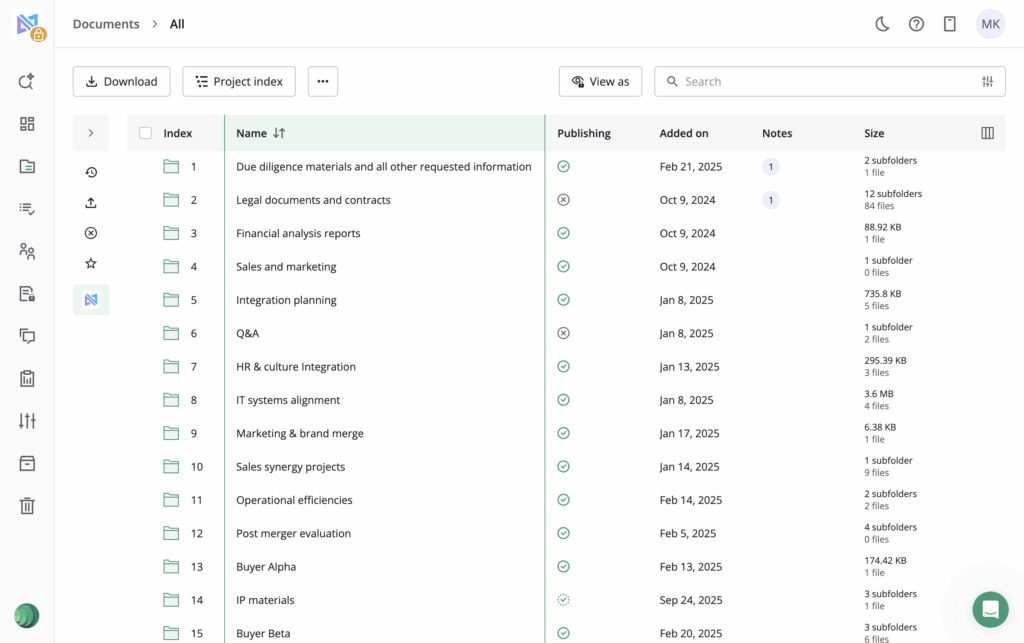
Export an index of exactly what’s on screen
An advisor can send a buyer the index for a single workstream folder, or a compliance team can pull a list of only the redacted files, in one step.
When you’ve opened a folder, applied filters, or switched to a Quick access view such as Recently viewed or Favorites, the Project index menu now offers a one-click export of your current items on screen.
The export includes every item that matches the view, not just the rows loaded on screen, and uses the same Excel format as the full project index.
See which files each group has opened
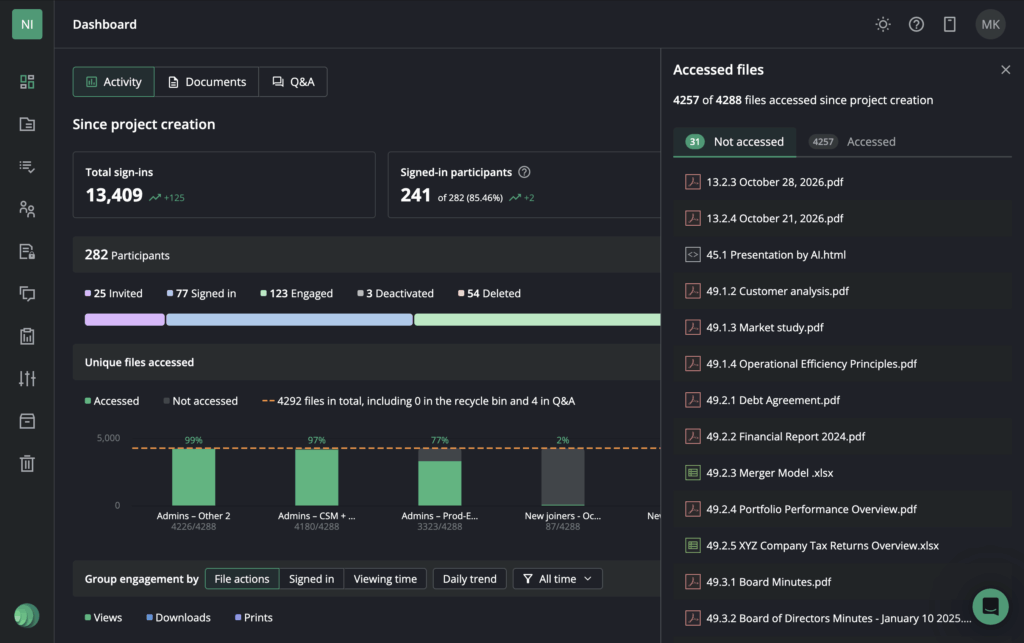
On the Project dashboard’s Activity tab, users can view the Accessed files card, with a side panel listing the files behind the number. Files are split into:
- Not accessed tab
- Accessed tab
- Not permitted tab
All calculated across every group selected in the filter, with each file counted once. From the panel, you can open the engagement matrix or export it for the same groups.
The Not permitted tab, shown when no admin groups are selected, helps admins spot files groups can’t see at all, so permission gaps are caught before they hold up the process.
Check project activity on mobile
The Project dashboard is now available on mobile, with the Activity, Documents, and Q&A views adapted for smaller screens.
Administrators can check participant engagement and open questions between meetings or while travelling, without waiting until they’re back at a laptop.
Set AI tool defaults for every new project
Project templates now include an AI tools tab, where corporate account owners and managers can choose whether AI redaction, AI search, AI translation, and other AI features are on or off by default. New projects created from the template start with those settings, and every change to the template is recorded in the corporate account’s audit log.
Edit USB archive orders after submitting
When placing an archive order, admins can now edit it from the Archives or Project archiving page until the package is dispatched.
You can update the delivery details, change the number of USB drives, or remove an archive from a package that has more than one. Saving the changes sends a confirmation email with the full updated order, and the edit is recorded in the activity log with the old and new values.