


Best Box Alternatives in 2026: Top 7 Secure File-Sharing Tools Compared

Quick answer:
- Ideals is the top pick among Box alternatives for complex, high-stakes M&A due diligence
- Box suits large organizations that need enterprise content management across many teams
- ShareFile suits accounting, legal, and healthcare teams that share client files
- Dropbox suits general business file sharing with simple setup
- Google Drive suits teams that already work in Google Workspace
- Onehub suits small teams that want client portals with data room functionality
- DocSend suits fundraising and sales teams that need page-level engagement analytics
Why teams are looking for Box alternatives
Box (NYSE: BOX) is a publicly traded enterprise content management platform. Teams use it to store, share, and manage files across a company. Box also offers advanced security and governance capabilities through higher-tier plans or add-ons, including Box Shield for threat detection and Box Governance for retention policies and legal holds. While it’s primarily a content management platform, it can also serve as a data room. However, Box isn’t a purpose-built M&A data room. For instance, its published data room feature list does not include a structured Q&A module or a due diligence checklist.
That gap is why many deal teams look at Box competitors. G2 reviewers also mention slow performance with large files, high pricing for smaller teams, and storage limits on lower-tier plans.
This guide is for dealmakers who need a true data room, and for teams that simply want a different file-sharing tool.
Here’s how each Box alternative compares on the features that matter once a deal is live.
Box competitors compared
The table shows how each provider handles pricing, security, and user ratings.
| Key highlights | Ideals | Box | ShareFile | Dropbox | Google Drive | Onehub | DocSend |
| Average rating (sourced from G2, Capterra as of October 2026) | 4.75 | 4.3 | 4.3 | 4.45 | 4.65 | 4.4 | 4.55 |
| Transparent usage-based pricing | ✅ | ✅ | ✅ | ✅ | ✅ | ✅ | ✅ |
| Security rating (UpGuard) | 948/950 | 901/950 | 941/950 | 831/950 | 668/950 | 727/950 | 826/950 |
| Security track record | Zero breaches over nearly 20 years | No publicly disclosed breaches | ShareFile security flaw (CVE-2023-24489) came under active attack in 2023 | – Dropbox Sign data breach exposed customer information in 2024- Dropbox credential theft exposed user email addresses in 2012 | No publicly disclosed breaches | No publicly disclosed breaches | Document URLs exposed to third-party security vendor subscribers in 2023 |
| Share files externally by link | ✅ | ✅ | ✅ | ✅ | ✅ | ✅ | ✅ |
| Granular access control | ✅8 levels | ✅7 levels | ✅5 levels | ✅3 levels | ✅4 levels | ✅7 levels | ✅4 levels |
| Screenshot prevention with Fence view | ✅ | ❌ | ❌ | ❌ | ❌ | ❌ | ✅ |
| Custom session timeout | ✅ | ✅ | ✅ | ✅ | ✅ | ✅ | ❌ |
*Google Drive’s G2 and Capterra figures come from the Google Workspace listing, which includes Drive.
1. Ideals
Best for: Complex M&A due diligence, fundraising, and cross-border deals with many outside parties
G2 rating: 4.7/5 (870+ reviews)
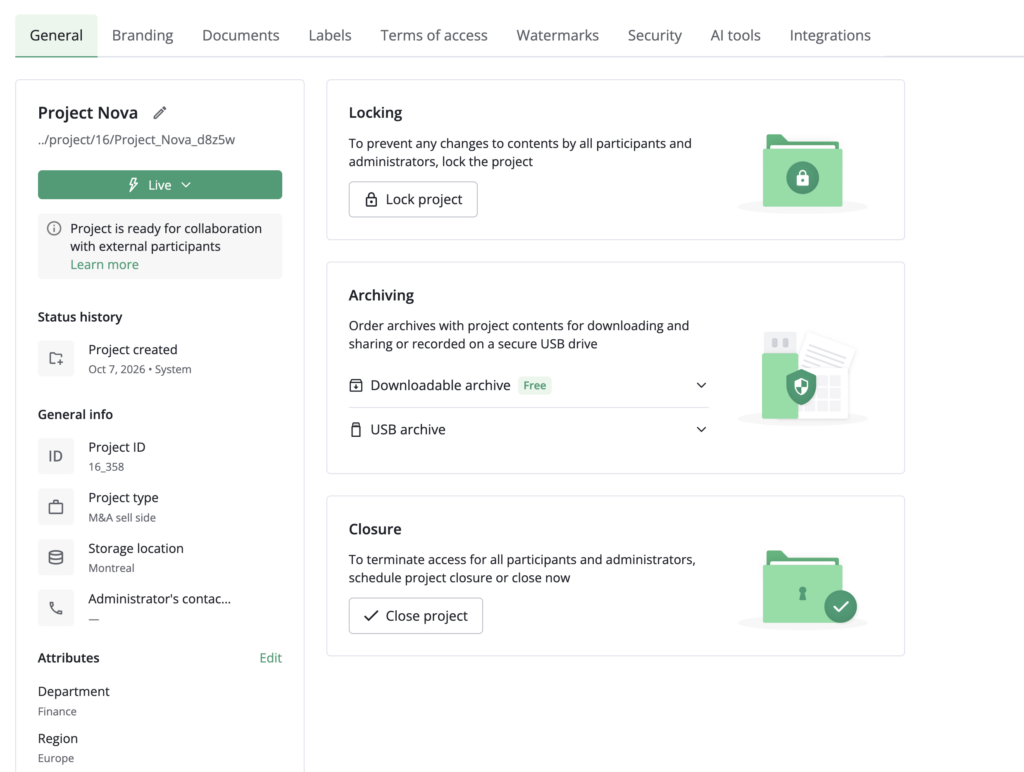
Ideals is a virtual data room built for M&A due diligence workflows. Administrators set access across eight permission levels, run a shared due diligence checklist, and manage buyer questions in a dedicated Q&A module with customizable workflows. Security features include, but are not limited to, AI-powered redaction and screenshot prevention with Fence view.
Ideals has transparent storage-based pricing. There are three plans, Core, Premier, and Enterprise, with unlimited users on each. The Enterprise plan adds multi-project management for teams that run several deals at once. Support runs 24/7 in 13 languages, and the interface is available in 14 languages.
Potential limitation: Some G2 reviewers say cost may be on the higher end for small teams.
2. Box
Best for: Large organizations that need enterprise content management across many teams
G2 rating: 4.2/5 (5,250+ reviews)
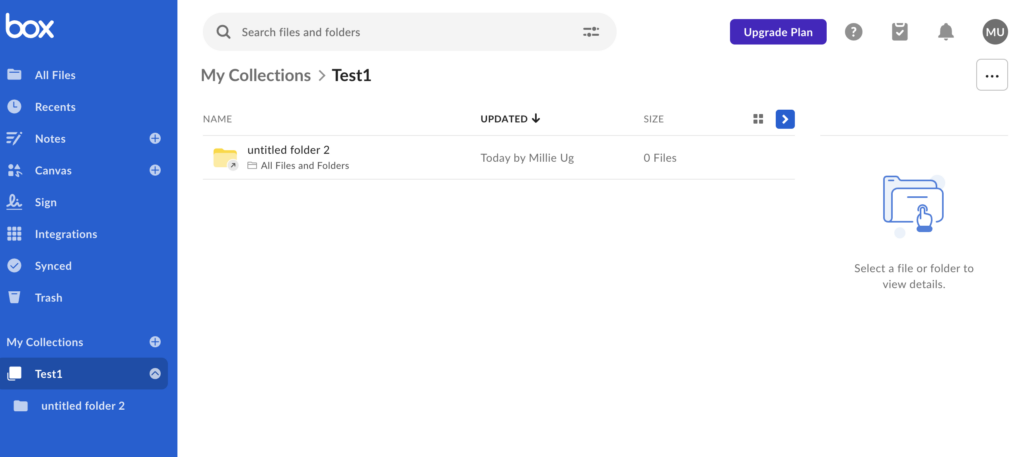
Box is a general-purpose enterprise content management platform that combines broad content collaboration capabilities with security, governance, and AI features. Its US Business plan costs $15 per user per month when billed annually or $20 month-to-month, with a three-user minimum. The plan includes unlimited storage, more than 1,500 integrations, and a 5 GB single-file upload limit. Upload limits increase to 15 GB on Business Plus, 50 GB on Enterprise, 150 GB on Enterprise Plus, and 500 GB on Enterprise Advanced.
Box Shield and Box Governance are available as add-ons or through capabilities included in selected higher-tier plans. Shield covers classification-based security controls and threat detection. Governance adds retention policies, disposals, and legal holds. Box AI is included on Business and higher plans.
Box also offers virtual data room functionality, with seven permission levels, bidder-specific folder templates, watermarking, and controls over downloads and collaborator visibility. However, its public feature list doesn’t specify a dedicated structured M&A Q&A module or a built-in due diligence checklist.
Potential limitation: G2 reviewers sometimes mention slow performance with large files, pricing for smaller teams, and storage limitations on lower-tier plans.
3. ShareFile
Best for: Accounting, legal, and healthcare teams that need secure storage for client files
G2 rating: 4.2/5 (1,500+ reviews)
Progress Software completed its acquisition of ShareFile from Cloud Software Group in October 2024. ShareFile prices per user:
- Advanced costs $16.50 per user per month billed annually ($18.15 monthly)
- Premium costs $26 per user per month billed annually ($28.59 monthly)
- Enterprise costs $35 per user per month billed annually ($42 monthly)
- The Virtual Data Room plan costs $69.30 per user per month billed annually ($77 per user monthly)
The first three tiers require at least three users, and the Virtual Data Room plan requires at least five users. It adds Q&A, click trails, and NDA enforcement.
Potential limitation: G2 reviewers sometimes mention difficulties accessing shared folders, a challenging interface, slow performance, and pricing for small teams.
4. Dropbox
Best for: General business file sharing with simple setup and sync across devices
G2 rating: 4.4/5 (31,000+ reviews)
Dropbox keeps file sharing simple. For businesses, there are two pricing plans: Standard, which costs $15 per user per month, and Advanced, which costs $24. Both plans include password-protected links, file transfers up to 100 GB, PDF editing, and file branding. Advanced adds audit logs with file event tracking and single sign-on (SSO). It also extends the file recovery window to one year, compared with 180 days on Standard.
There’s also an Enterprise plan; pricing is custom and requires a sales conversation.
Dropbox also owns DocSend, a separate product for document sharing and analytics (covered below).
Potential limitation: G2 reviewers sometimes mention the cost of storage upgrades and storage limits.
5. Google Drive
Best for: Teams that already work in Google Workspace and need everyday file sharing
G2 rating: 4.6/5 (47,000+ reviews, Google Workspace listing)
Google Drive comes with Google Workspace, so it fits teams that already use Gmail, Docs, and Meet. Storage is pooled across the organization. Each license adds 30 GB on Business Starter, 2 TB on Business Standard, and 5 TB on Business Plus. Enterprise Starter includes 1 TB per user, while Enterprise Standard and Plus include 5 TB.
Business Starter, Standard, and Plus support up to 300 users each. Larger organizations may want an Enterprise edition, which also adds data loss prevention (DLP), context-aware access, and AI classification for Drive.
Potential limitation: G2 reviewers’ top complaints about Google Workspace are missing and limited features.
6. Onehub
Best for: Small teams that want client portals and a data room functionality at a flat monthly price
G2 rating: 4.2/5 (45 reviews)
Onehub supports both client portals and virtual data rooms. Its Data Room Edition adds stealth mode, non-disclosure agreements, document watermarking, automatic indexing, and dedicated support staff.
The Standard plan costs $15 per user per month ($12.50 annually), and the Advanced plan costs $25 per user per month ($20 annually). The Data Room Edition plan costs $375 per month, or $300 per month billed annually. All plans include a 14-day free trial.
Potential limitation: The G2 review base is small, which makes it harder to judge satisfaction against providers with hundreds of reviews.
7. DocSend
Best for: Fundraising, investor updates, and proposals that need page-level engagement analytics
G2 rating: 4.6/5 (580+ reviews)
DocSend, part of Dropbox, uses secure links and document analytics to show how recipients engage with files, including which pages each viewer reads. Its Advanced plan adds lightweight data rooms, dynamic watermarking, and NDAs. Each data room holds up to 2,000 assets on Advanced and 4,000 on Advanced Data Rooms.
Advanced Data Rooms plan adds a data room audit log, due diligence tracking, group visitor permissions, and automatic file indexing.
The prices are as follows:
- Personal costs $10 per user per month
- Standard costs $45 per user per month
- Advanced costs $150 per month with three users included
- Advanced Data Rooms costs $180 per month with three users included
Potential limitation: G2 reviewers say DocSend gets expensive when many seats are needed, and some cite limited customization.
How to choose between these Box alternatives
The right pick depends on what you need a tool for. Match your main use case to the provider in the table, then confirm pricing and security controls with a direct quote.
| If your priority is… | Consider… | Why |
| General enterprise content management across many teams | Box | Unlimited storage on business plans and 1,500+ integrations |
| Cross-border M&A with real-time collaboration | Ideals | Eight permission levels, Q&A with customizable workflows, and multi-project management |
| Client files for accounting, legal, or healthcare work | ShareFile | Client portals, e-signatures, and a Virtual Data Room plan with Q&A |
| General file sharing with simple setup | Dropbox | Cross-device sync, password-protected links, and transfers up to 100 GB |
| A team already on Google tools | Google Drive | Included with every Workspace plan, with pooled storage |
| Client portals and a data room functionality at a flat price | Onehub | Data Room Edition from $300 per month billed annually |
| Fundraising decks and proposals with analytics | DocSend | Page-level analytics, with data rooms from $150 per month on annual billing |
- Read more: Want a wider view beyond file-sharing tools? See our guide to the best virtual data room providers in 2026 for pricing, features, and use cases.
FAQ
It depends on how custom the workflow is. Box offers a content API and 1,500+ app integrations, with 50,000 to 200,000 API calls per month depending on plan. Ideals offers a secure API and an MCP connection to Claude, ChatGPT, or Copilot, built around deal workflows. Check each plan’s API limits before you commit.
Ideals handles several deals at once through multi-project management, which the Enterprise plan includes with unlimited projects and multi-room administration. Box doesn’t list multi-project management on its data room page, so teams running many deals often might prefer using a purpose-built data room.
Box is a general content management platform that also markets a virtual data room use case. Its data room page lists seven permission levels, folder templates, and watermarking. However, it doesn’t list M&A-focused features such as a structured Q&A module or a due diligence checklist.
Ideals is the top pick for complex M&A due diligence. ShareFile and Onehub offer data room plans for smaller or client-focused work, and DocSend suits fundraising. Dropbox and Google Drive work for general file sharing but are not built for multi-bidder deals.